My story
After many years I ditched the pagebuilder
Like me, you’ve probably built websites in pagebuilders for years. At first it worked fine and I was excited for new updates. But over time it became unnecessarily complex, slow, and limiting. When new features finally arrived, they often disappointed.
At that same I saw that AI was getting really good, and so I started experimenting. I wanted to understand if it was really better, because what about: SEO, security, client editing, updating? All the stuff beyond the fancy demo's.
Now after many months of testing, I found a solid workflow that I trust and I've switched from pagebuilders to prompting. My clients are happier, and I am happy because my work became better, easier and more fun. In this challenge we build one site together, the same way.
Rino de Boer
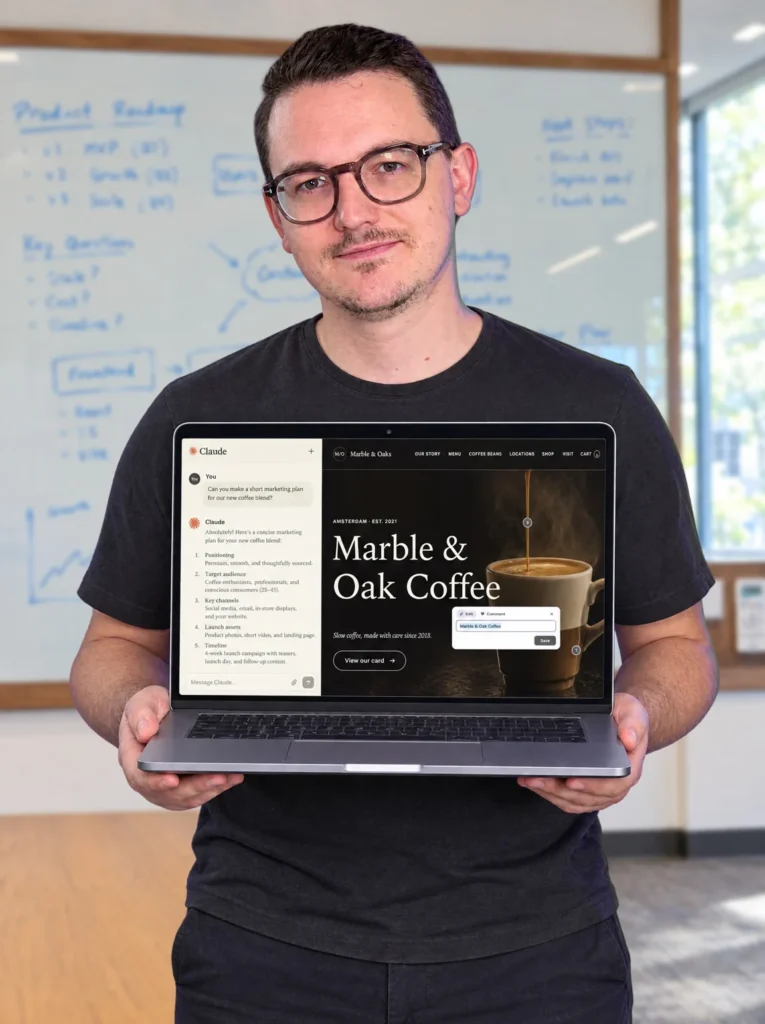
Before and after
A new workflow in 30 days.
It’s not just a new tool. It’s a way of working you control, from the first file to launch.
Before the challenge
- You build slowlyClicking through editor panels, figuring out how the builder wants it done.
- Your pagebuilder limits youYou can only build what the pagebuilder offers. And you wait for them to add the feature you need.
- AI feels overwhelmingSo many tools and models. You don’t know which one to choose, or where to start.
After the challenge
- You move fasterYou describe what you want, the agent builds it, and you review. No panels in between.
- You build whatever idea you haveNo widgets or panels holding you back. If you can describe it, you can build it.
- You’re AI nativeYou know the workflow and where to use and where to avoid it.
The benefits
The new AI workflow is finally here
A workflow that is faster, cheaper, and more powerful than anything you've seen before.
-
01
Build much faster
Learning the LWP prompting methods to enable ChatGPT or Claude to bypass the pagebuilder. It's so fast, it's almost addicting.
-
02
Build anything you want
No company deciding which features you get, or when you get them. If you can think of it and describe it, you can build it. The only limit is your imagination.
-
03
Much faster websites
AI writes the code directly, so there’s none of the bloat a pagebuilder adds. Your sites are fast out of the box, and they stay fast, because there’s no builder interface weighing them down.
-
04
No more yearly subscription
A website made with this AI workflow removes the need for a Figma and pagebuilder license. Watch how you save hundreds of dollars each year.
-
05
Much easier editing for clients
AI websites are not editable by default, but with the right setup (taught in this program), your clients will have the easiest content editing experience they have ever seen. Just hover, click and type.
-
06
Build on a foundation you can trust
Instead of completely relying on AI, we keep WordPress and plugins (you already know and trust) as the foundational layer for the critical parts. This hybrid approach is a safe and responsible way of using AI.
The new workflow
Same WordPress, very different workflow.
WordPress is still the best home for many client sites. What changes is how you build on it.
| WP PagebuilderTools like: Elementor, Divi, Bricks where you drag, drop and edit via panels. | Lovable-like appsAI builders like Lovable, Bolt, Replit where you get convenience for the price of lock-in. | Agentic WordPressYour preferred AI on top WordPress, with proven plugins for the critical work. | |
|---|---|---|---|
| Build by prompting | Partly | Yes | Yes |
| Design & development freedom | Partly | Yes | Yes |
| Lean code and fast pages | Partly | Yes | Yes |
| Clients edit without breaking the design | No | No | Yes |
| Stable plugins for SEO, security, forms, shops, etc | Yes | No | Yes |
| No feature roadmap to wait for | No | Partly | Yes |
| You own the site, the data and the hosting | Yes | No | Yes |
| Easy to back up and transfer ownership | Yes | No | Yes |
| No company deciding how much you pay | Partly | No | Yes |
See it for yourself
A $10k client site, without a pagebuilder.
This is a real project I sold this year. Let me show you what the client sees, how they edit it, and how I make changes.
One more thing
This website, the animations and all the details, built with the workflow you’ll learn in this challenge.
What people say
You’re not the only one taking the exit.
-
Working with Pencil felt natural to me. I was pleasantly surprised at how it adapted to my ideas; it literally grew its functionality with me. I couldn’t help but notice that my site felt incredibly lightweight.
John JacksonWeb designer
-
I just sent my first client site live built by Claude. The actual building was so much faster than using Elementor. The whole process highlighted that our real value is in our expertise when guiding the client, not in the clicking of buttons.
@AntCookeRuns a small agency
-
I wanted to thank you from the bottom of my heart. I’ve already tested this hybrid system with WordPress and the Pencilino plugin on several websites, and I think it’s an incredible workflow. Before my tests, I had practically abandoned the idea of building websites with WordPress and had switched to building them with Astro and CMS Pages. But once again, you’ve opened up a whole world of possibilities with your videos, and I'm going to explore it to see where it takes me.
Álex MárquezWeb developer
-
I've been playing around with your Pencilino plugin and I am SO impressed! I had been using novamira to build in Elementor natively but this is absolutely phenomenal because the result is a website the client can easily edit.
Jenny BelangerFounder, Creative Director
-
A personal thanks to you for developing the Pencil tool, which I am actively using to move away from Elementor into a brave new world of web development.
@brianwoodliefPencil user
-
I never touch elementor physically anymore. I’m literally just talking into my phone and the website updates. It’s really nuts lol.
@robby_carterYouTube comment
What this is
A challenge, not a course.
We build one site together. Same brief, same steps. And after 30 days you have a finished WordPress site, plus a workflow you can use on your next client project.
- A start and an end date, so you actually finish
- Recorded during the challenge, shaped by your questions
- You build a real site, not just watch
- Closes after 4 weeks, so there is time for updates
- No deadline, so “later” quietly becomes never
- No accountability
- Recorded once, outdated by the time you watch it
- You watch someone else build
What you’ll do
Your 30 days, week by week.
Short lessons, one site we build together, and skills and files you keep. At the end, the site is done.
-
Week 1
Setting up your AI workspace
- You'll understand how things are changing and what is possible now.
- You’ll understand the fundamentals like LLM's, MCP's, skills and how to they talk to WordPress.
- You'll setup your tools and workspace so you're ready to build
-
Week 2
Designing an HTML prototype
- You’ll design without Figma, and still make every design decision yourself
- You’ll know how to keep AI away from generic, sloppy designs
- Your pages are designed, mobile included, in your own style
-
Week 3
Building with AI inside of WordPress
- You’ll turn your HTML design into a lean custom theme, no pagebuilder needed
- Your client can edit text and images right on the page
- You’ll build real functionality, like custom post types and a quote form
-
Week 4
Launch and client hand over
- You’ll set up SEO, security and forms the right way
- You’ll check everything with the pre-publish skill before launch
- You’ll understand how to properly hand-over a finished site to a client
- You have a real project to show off
On top of the lessons
Bonuses that bring results
The lessons show you the workflow. These are the tools I use to run it on my own client sites.
-
Community
Online community
Ask questions, share your build and see how others do it. Rino is there to help.
-
Free plugin
Pencilino v2
My free front-end editing plugin. I show you how to work with it.
-
Skill
Rino’s design skill
My own design skill that reduces slop and makes the design more interesting.
-
Skill
The CSS framework
Brings design consistency to every site and keeps the code clean.
-
Skill
The SEO skill
Sets up SEO on every site, step by step: titles, meta, schema, sitemaps and AI search.
-
Skill
The pre-publish skill
Catches what you don’t want to be embarrassed by at launch, like: placeholders, broken links, forms, etc.
-
Skill
The security check skill
Goes through the most common ways WordPress sites get hacked, before you launch.
-
Skill
The handover doc skill
Generates a handover document, so another developer can take over the site.
Let’s be realistic
AI makes our work easier, but it's not 1 prompt
You’ve seen the videos online. One shot this, one prompt that. But often these results are nothing more than fancy visuals without real results.
But great websites require careful planning, great decision-making, and a system that you can expand and confidently hand over to a client.
AI is making our work easier, but it's not as simple as some people say. In this challenge you will learn the Living with Prompts method to use AI properly, so you can start delivering websites that are worth serious money.
It's time to invest into your future
The doors close on 14 November13 days leftday leftLast day
-
The 4 weeks challenge
- 4 weeks of lessons
- Walk away with a finished website
- The exercise project and the challenge space
- My skill files and Pencilino plugin
- A certificate when you finish your site
One payment. 30 days access. Optional: download episodes (add-on at checkout). Questions? Email me
-
4 Weeks + weekly calls
Max 15 people per round
- Everything in the challenge
- 4 group calls
- Ask questions to Rino & others
- Replays if you can't make it
One payment. Max 15 people to keep the group small. When sold out, you can still join the challenge itself.
 Pay

Straight from the comments
The questions you asked me.
-
What about bigger websites with specific plugins?
We’re not replacing WordPress, only the pagebuilder. So you can keep using the plugins you already like and trust, and AI then just navigates in those plugins. So yes, even highly dynamic websites are possible, from ACF to WooCommerce to form plugins. The approach I'm teaching is a hybrid approach. I don't believe AI should generate everything just because its possible. Let's use AI responsibly.
-
Can my clients still edit the AI site?
Yes, but not by default. AI websites aren't editable without an editing layer. That's why I build Pencilino, a front-end editing plugin for WordPress. This makes it much easier for clients to edit content while you can keep the workflow AI native. In the challenge I show you how to set it up, what the limitations are how to work with it.
-
Isn’t an AI-built site easy to hack?
Not more than any other WordPress site. The horror stories come from vibe coding platforms where AI also builds the backend. Here, WordPress and the plugins you trust do the heavy lifting, and AI only builds the theme. My security check skill (that you will get in this program) also gives your AI a list to check before publishing. Because AI is also really good at finding vulnerabilities. Everybody got superpowers now basically, but you do have to use them.
-
Won’t the AI change things on its own?
AI doesn't really act on its own. It is prompt-based, so every prompt creates a result that you can instantly check. If something goes wrong, you're safe because WordPress has a revision system, so you can always go a step back if the AI makes a mistake. And for security, we are not relying on AI. We are using safe, existing tools.
-
What about SEO?
Because you stay on WordPress, you keep using the SEO plugin you already know and trust. And in the course, there is an episode where we are going to optimize an AI website for SEO to make sure we get all the essentials.
-
Are we going to do everything with prompting?
Almost everything, yes, and that’s the point. But you don’t prompt pixels. The CSS framework already contains the spacing values, so you never say “move it 4 pixels”, you say “make the spacing a bit tighter”. And for small changes like spacing, there is a dev mode in the new version of Pencilino, so you don't have to use tokens for that.
-
Won’t every site look like it was made by AI?
Design comes down to making decisions, and it's up to you to keep prompting it until you're happy with it. If you don't like the typical AI look, you just make a feedback prompt. It's the same as downloading a template, you shouldn't accept what it gives you out of the box. But to make things easier, I do share my design skill that reduces AI slop. This gives you a much better starting point.
-
Doesn't AI generate sloppy code?
By default, yes. But I solved this with my own CSS framework (also a skill file I share in the program). It makes sure the AI follows a proper system of variables and classes. And for other critical parts of the website we used trusted plugins from other companies.
Before you join
Is this for you?
You don’t need to be a developer. If you’ve built sites in Elementor, Bricks or Divi for a while, you already know more than you think. Containers, classes, client feedback. That all still counts.
This is for you if
- You are curious into building with AI but you are not sure where to start
- You know that investing in the right education makes you move faster
- You want to cut through the noise, and you need structure
- You want to learn how to use AI properly
This is not for you if
- You’ve never built a website before
- You have moved on from WordPress
- Your pagebuilder still makes you happy and excited
- You don’t have any time to learn
- You expect everything to be 1 prompt away
Built from real client work, not just demos.
I’m not self-taught. I studied web design, and I’ve been making websites for 15 years. From Photoshop and Dreamweaver, to WordPress, Elementor, Figma and now AI.
I’ve also been teaching web design for 12 years. Living with Prompts is a new brand, but I’m not new to this.
I ran a design agency. And I still do client work every week. The projects in this challenge are real, and so are the prices.
Because my education business pays the bills, I can also spend a big part of my week testing new tools. Something most freelancers never have time for.
So I’m usually a few steps ahead. Real client work tells me what matters. The experiments show me what’s possible.
Rino de Boer Founder, Living with Prompts
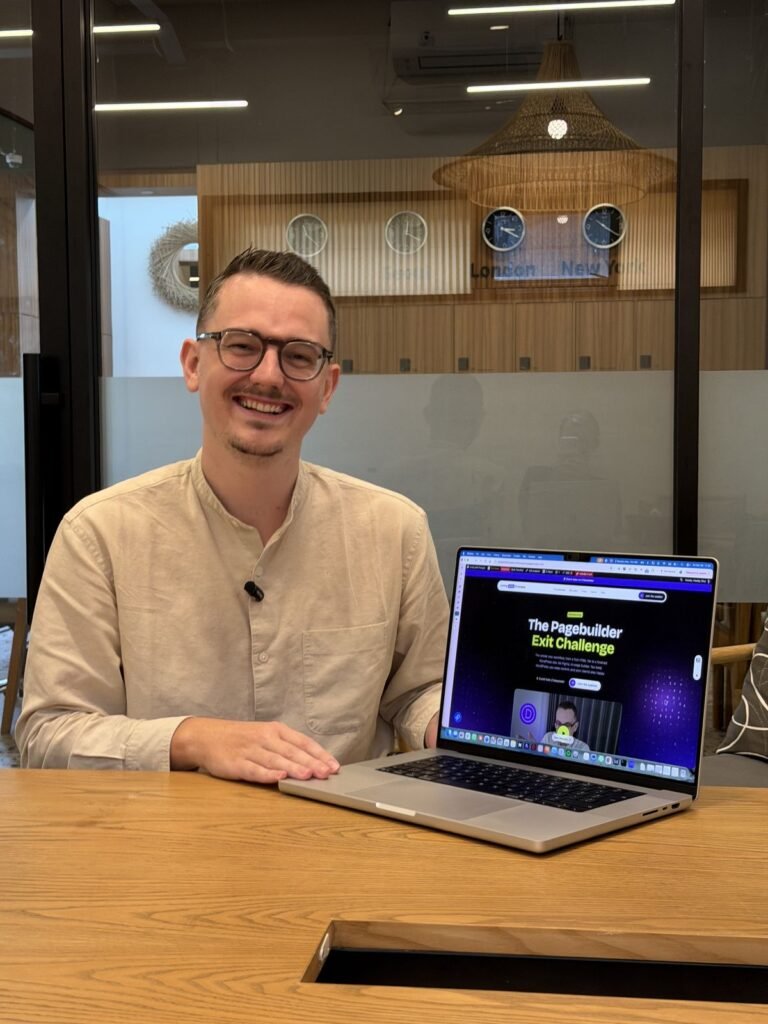
- Design degree
- 15 years of web design
- Active client work
- 2,000+ students
Finish the challenge
Finish it. Get your certificate.
Finish the 30 days and your site, and you get a certificate with your name on it. Download it, share it or add it to LinkedIn.
But honestly, the paper isn’t the point. The workflow is.
Certificate of completion
This is to certify that
Your name
has successfully completed
The Pagebuilder Exit Challenge
- Date of completion
- 14 December 2026
- Student number
- LWPR-0001
- Rino de Boer
- Founder, Living with Prompts
When does the challenge start?
We start on 14 November. You can already secure your spot, and on that day the first lesson unlocks for everyone.
Can I get an invoice for my company?
Yes. It’s sent to your email automatically after you buy. You don't even have to ask.
Do I need WordPress and a paid AI plan?
Yes to both. We keep WordPress and only replace the pagebuilder, so you need a WordPress site to build on. And you need a paid plan for Claude or ChatGPT. The $20 plan will get you there.
Why only 30 days of access?
When I started teaching Elementor, a tutorial stayed useful for years. Now the tools change every few months. A course I record today is half outdated by the time most people get to it. And let’s be honest, most courses never get finished anyway.
So I made this a challenge. We start together, we build together, and after 30 days the doors close. That deadline is what makes you actually build the site, instead of saving it for “later”.
After every round I take what I learned from your questions, update the lessons and run it again. So you always learn the workflow as it works right now.
Want to keep the lessons? Add the episode download at checkout for $95. You get the episodes of your round as a download, and they’re yours to keep.
And when the next round opens, you can join again for a big discount. Same challenge, but with the newest tools.
What if I miss a week?
No problem. You can catch up any time during the 30 days. And with the episode download, you can rewatch everything later.
What about my existing Elementor sites?
The challenge is about building one new site together, so you learn the workflow first. Moving existing client sites isn’t part of it, but you can add the Migration Playbook at checkout.
Won’t AI get expensive?
Not really. The new models are getting more efficient, and for most web development tasks, you don't need the best model. And with WordPress, you're not locked in (like on other vibe coding platforms), so you can switch to any model, even a Chinese or a local one if you want.
Can another developer take over the site later?
Yes. It’s a normal WordPress site with a readable theme, so any WordPress developer can work on it. And with the handover document skill, you give the next developer everything they need.
What if it is not for me? Can I get a refund?
Yes. You can ask for a refund up to 14 days after the challenge starts. If you join later, the 14 days start on the day you buy. Just email me at rino@livingwithprompts.com.
I still have questions.
Email me at rino@livingwithprompts.com and I will answer as soon as I can. We’re a small company, so thank you for your patience.
The doors are open
Doors close on 14 November.
Join now and we build together, week by week. After that, the doors close until the next round.
P.S. If you only read one thing
Same 30 days, either way.
30 days from now, you can stay in the limited pagebuilder world where you're waiting for that next update that will finally fix the things you want.
Or you can have your first finished agentic WordPress site build the new way. Imagine having a new workflow that can potentially save you lots of time, money and frustration. And most importantly: one that doesn't limit you.
Want to keep waiting, or are you ready to get started building your first agentic website with the support and systems that work?

